How to build a 7 node Raspberry Pi Hadoop Cluster
Any questions please drop me a line.
Thank you, Nigel.
]]>Once I’d found a keyboard and mouse I fired it up. Unfortunately I couldn’t remember any of the passwords… Booting it up with a live USB wouldn’t let me access the hard drive – when I tried to access it it requested an administrator password.
So, I had to boot into single user mode and change the root password (I changed the user password at the same time):
There weren’t any clear, step-by-step, instructions on the web for doing this on Fedora 15 so here’s how I did it:
- Power on the machine and once the BIOS check has finished hit the ESC key to enter the Linux boot loader (GRUB) configuration.
- Select the linux (linuz?) line, go to the end, and type ‘single’ (without the quotes).
- Hit Enter to save then ‘b’ to boot.
- The machine should go through some checks and then bring you to the root (#) command line.
- Remount the root directory: # mount -oremount,rw /
- Change root: # chroot /
- Change the passwords: # passwd <user>
- I’m not sure if this system even has SELinux let alone enabled but I created an autorelabel file anyway – if you’re on a system with SELinux enabled the passwd files you’ve changed will have the wrong security context and your password changes won’t work: # touch /.autorelabel
- Then type exit chroot jail and exit again to reboot. You should be able to login using your new passwords.
I find it quite scary how easy it is to access someones data if you have physical access to their machine… be warned! In this case I’m glad I wasn’t using hard drive encryption or my data would’ve been lost forever without the passwords.
It’s amazing how different Fedora 15 looks (GNOME really) from 21 but is still the same to navigate… Anyway I’m now backing-up the backup (stuff I probably have elsewhere but it’s better to be safe than sorry) and it’s painfully slow across USB. It’s done 34GB out of 101GB’s at 6.6MB/s … it’s going to take at least another 2 hours so I’m going to check out the New Year sales and get myself a new monitor, because I just want one, and an Ethernet hub because I’ve run out of ports…
]]>So, when downloading a file from SoundCloud it’s in the MP4 format – or at least the one I wanted was. But, the ZOOM R8 needs WAV files with a sample rate of 44.1Khz and format of 16kb.
If you’re smart enough to be running Linux (  ) it’s really easy to do this conversion. All you’ll need to install – if you haven’t got it already – is “mplayer”.
I was able to install from the “rpmfusion-free-updates” repository:
# yum install mplayer
Then you simply run the following on the input file (mine is the one named “20141102-234158.mp4”) and choose a name for your output file (in my case it’s “josh.wav”)
$ mplayer -srate 44100 -af format=s16le -ao pcm 20141102-234158.mp4 -ao pcm:file="josh.wav"
Then you can simply copy the file across to your ZOOM R8 – either by connecting directly to your computer or by taking the memory card out and plugging that into your computer. Either way you put the converted file in your loops folder and then use the ‘track’ button to get to the menu where you import the loop.
Hope this helps 
The really simple guide to Humanism is a new online learning resource that has been created to help the wider public understand humanism. The interactive website has already had over 1500 visitors since its launch and offers simple answers to the most frequently asked questions about Humanism. The website also features videos of humanists including writers Sue Blackmore, Zoe Margolis and David Nobbs, neurobiologist Colin Blakemore, comedians Ed Byrne and Lucy Porter, philosopher A C Grayling [Auther of The Good Book – a secularist/humanist bible], and journalist Polly Toynbee.
You can visit the website at: www.simpleguidetohumanism.org.uk
World Community Grid.
I was thinking of ways to volunteer for charity but being a bit lazy I didn’t get round to it. Instead I remembered that I had participated in the distributed computing initiative organised by the World Community Grid where you install some software on your computer that utilizes your free CPU cycles when you’re not using them. I had been given a computer that I thought would be good utilize for this task so I stuck a new hard drive in it, installed the latest version of Fedora Linux (15) and got the BOINC software up and running.
Being a little obsessive I decided to install the software on our Windows XP machine, a notebook running Linux and another Laptop (Quad Core i7, 8GB RAM!) too. I now sit back, very satisfied of all this number crunching that I’m doing for various projects such as:
Fight Aids at home.
Childhood Cure For Cancer.
Help Cure Muscular Dystrophy
Human Proteome Folding (whatever that is!)
Computing For Clean Water
I strongly recommend you offering up your free CPU cycles for such worthy causes. You can create an account and get the software here:
]]>For instance the following awk took the list of the 1st 1000 prime numbers and added a column for the difference between each of the prime numbers:
“awk ‘{ p = $1; getline; p = $1 – p; print NR” “p” “$1 }’ plist.txt > p8.txt”
Here’s the gnuplot file:
set dgrid3d 20,20
set hidden3d
set ticslevel 0
set term png
set out “p17.png”
splot “p8.txt” using 1:2:3 title “prime” with lines
And here’s the graph it created:
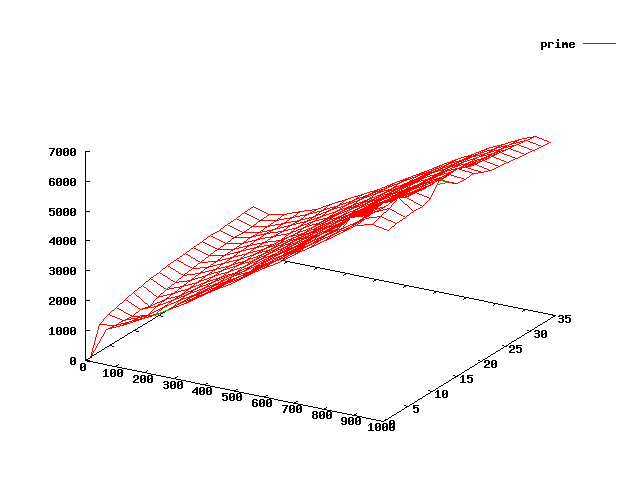
1st 1000 prime numbers 3D graph -plotted against the difference between each of the prime numbers.
Here are some more graphs – again using the 1st 1000 prime numbers for data but for each one I’ve created another column of data based upon some manipulation of the primes:

3D plot of 1st 1000 prime numbers
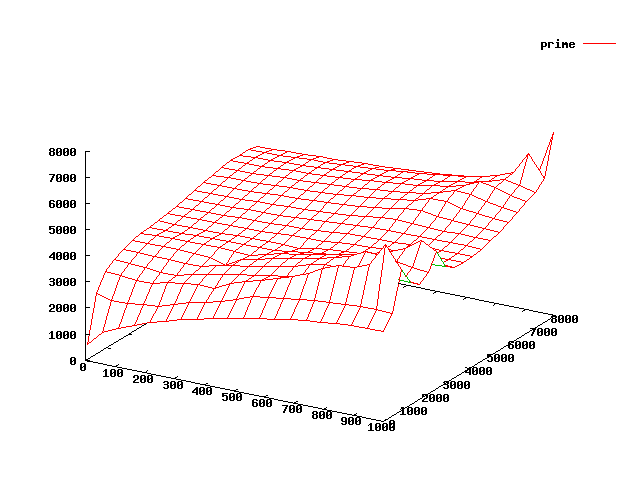
3D graph plot of the 1st 1000 prime numbers
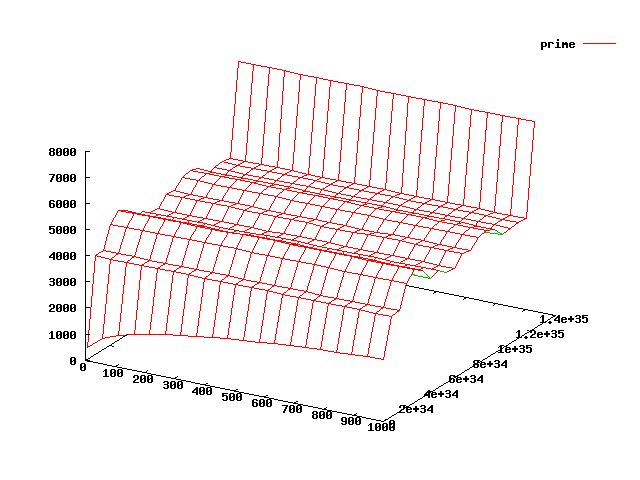
3D plot of the 1st 1000 prime numbers
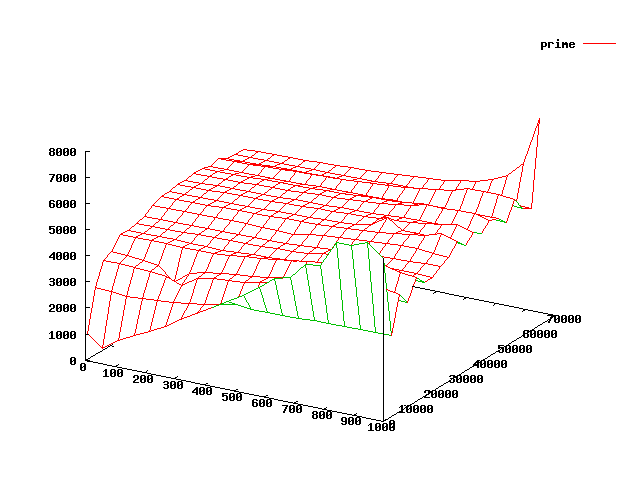
3D gnuplot graph of the 1st 1000 prime numbers